
IPTV Reviews: How to Tell Real Ones From Fake Before You Buy (USA 2026)
If you search for IPTV reviews, you will find hundreds of pages that all say the same thing: 4.8 out of 5 stars, “thousands of happy customers,” a provider that is the best in the USA. Many of those pages are written by the seller, copied from each other, or posted on sites that have nothing to do with TV. This guide shows how to read IPTV reviews with a critical eye, which complaints actually matter, and how to check a provider yourself before you pay.
Why so many IPTV reviews look the same
Look closely at review pages for different IPTV brands and you will often see the exact same numbers: “4.8/5 from 2,500+ verified reviews,” the same rating breakdown, even the same first names. That is a strong sign the page is a template, not a record of real customers.
Table of Contents
Another pattern: review-style articles posted on unrelated websites, from a school portal to a clothing store’s blog, all pointing to one IPTV seller. These are paid placements built to rank in Google. They are not independent reviews.
In the US, this matters legally too. The FTC’s rule on consumer reviews and testimonials, in effect since October 21, 2024, bans businesses from writing or buying fake reviews, suppressing honest negative ones, and presenting company-controlled review sites as independent. A provider that fills its pages with invented ratings is telling you something about how it does business.
Red flags in IPTV reviews
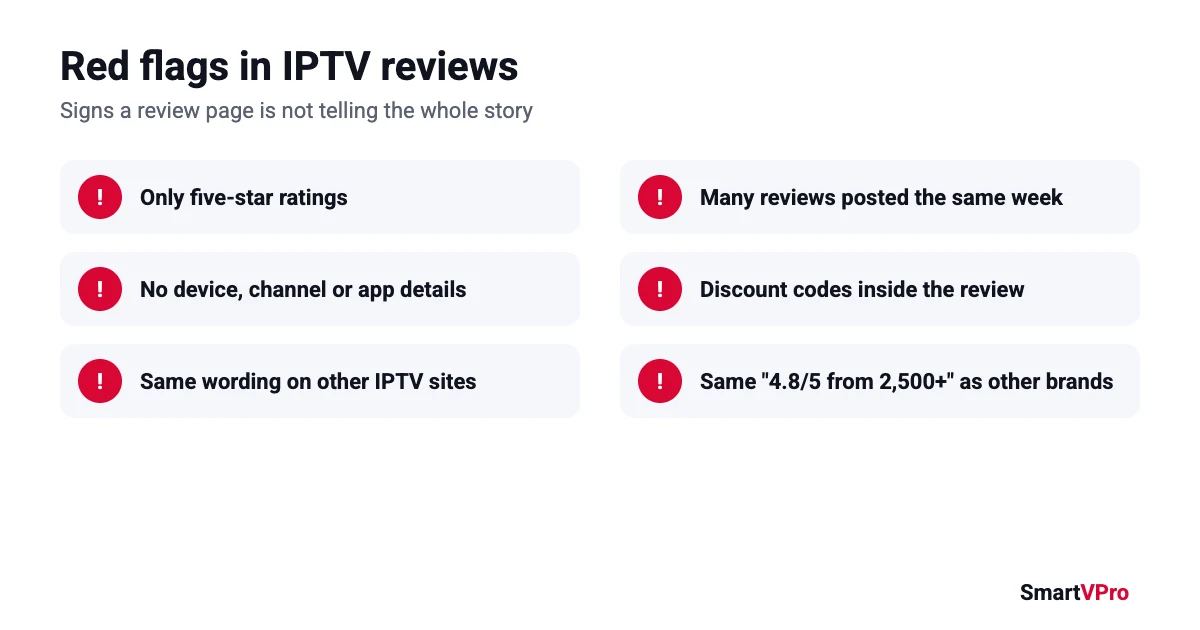
- Only five-star ratings. Every real service gets some bad reviews. A page with zero complaints is filtered or fake.
- No details. “Great service, highly recommend!” tells you nothing. Real reviews mention a device, a channel, an app or a problem.
- Identical wording across brands. Copy a sentence from a review into Google. If it appears on other IPTV sites, it is not a real customer.
- Reviews posted the same week. A burst of praise in a few days, then nothing, usually means a batch was bought or written.
- Reviews that sell. Real customers rarely include a discount code, a price list and a “buy now” link in their review.
What real IPTV reviews tend to talk about
When you find genuine reviews, on forums, Reddit threads or a provider’s moderated review page, the same handful of topics come up again and again. These are the things worth reading for:
- Buffering during big live events. Anything streams well on a quiet Tuesday. The real test is a Sunday NFL slate or a major fight night.
- Support response time. How long it took to get a reply on WhatsApp or email, and whether the answer fixed the problem.
- Login and activation. How fast credentials arrived after payment, and whether they worked first time.
- Channel accuracy. Whether the local and sports channels the person needed were actually there and working.
- Refunds and renewals. Whether the provider honored its refund terms, and whether a long plan kept working for the full period.
- Device and app. “Fire TV Stick 4K with TiviMate” tells you far more than “works great.”
A review that covers two or three of these, with a specific setup and a date, is worth more than fifty one-line ratings.
How to check an IPTV provider yourself
Reviews help, but the only reliable test is your own TV, your own internet and the channels you actually watch. Before paying for a long plan:
- Check who runs the service. Look for a named business, a physical or registered address, a contact email, terms of service and a written refund policy. SmartVPro, for example, is operated by THE SHORT BOX ENTERTAINMENT LLC and publishes its refund policy.
- Read the refund policy, not the headline. “Money-back guarantee” can mean very different things. Check the window, the conditions and what happens if you have already streamed.
- Test before you commit. Use a short trial at peak time, ideally during a game you care about. SmartVPro offers a $2 trial for 24 hours on one device.
- Contact support before you buy. Send a simple question and see how long the reply takes and whether it answers what you asked.
- Pay in a way you can dispute. A credit card or PayPal gives you a way to raise a problem. The FTC warns that sellers who insist on hard-to-reverse payment methods like gift cards or crypto are a common sign of a scam.
For a longer checklist, see our guide on how to choose an IPTV provider and our explainer on whether IPTV is legal in the USA.
How SmartVPro handles customer reviews
We publish customer reviews on our reviews page under three rules:
- Every review is moderated before it appears, and low ratings are published as long as they describe a real experience with the service.
- We do not write reviews ourselves.
- A review gets the “Verified purchase” label only when its order number and email match a paid order.
If you are a SmartVPro customer, the most useful review you can leave mentions your plan, your device and app, and how the service held up during live events. That is exactly the information the next person is looking for.
Where to find IPTV reviews, and how much to trust each source
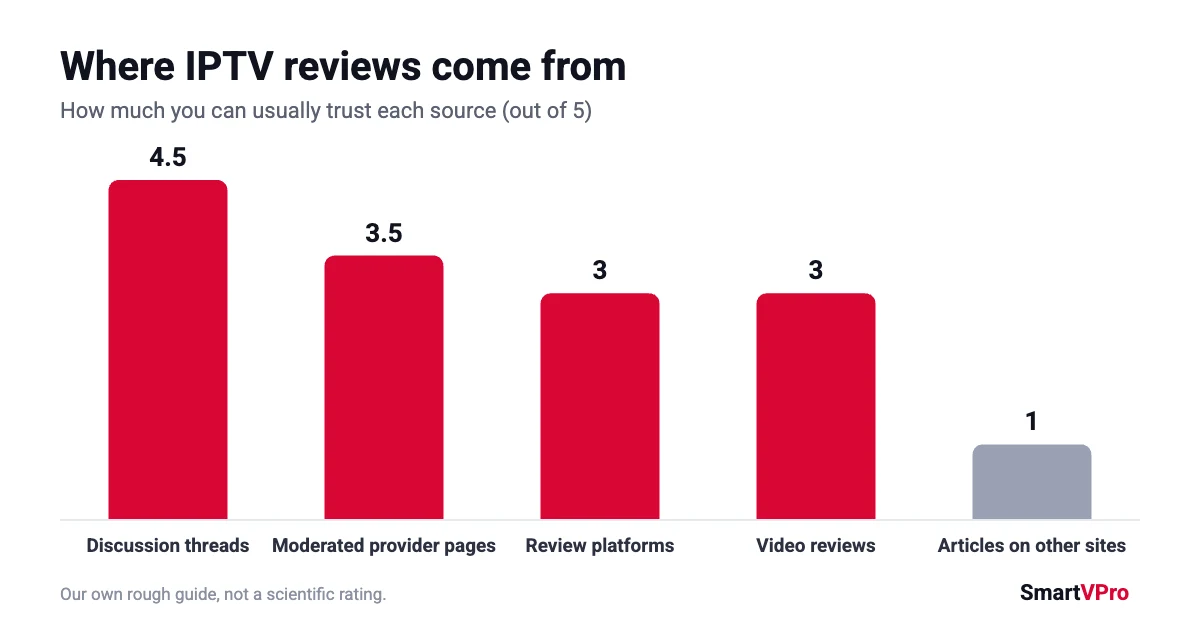
Not all IPTV reviews are equal. Some sources are hard to fake, others are almost always written by sellers. Use this as a rough guide:
| Source | How useful | What to watch for |
|---|---|---|
| Discussion threads (Reddit, forums) | High, if people reply and argue | Brand-new accounts praising one provider, posts that look like ads |
| Video reviews | Medium | Affiliate links and discount codes, tests run at quiet times |
| Review platforms | Medium | Bursts of five-star reviews on the same days, no replies to complaints |
| Provider review pages | Medium to high, if moderated honestly | Pages with no negative reviews at all |
| Review articles on unrelated websites | Low | Paid placements that all point to one seller |
The most reliable IPTV reviews tend to come from places where other users can answer back. A claim like “never buffers” does not survive long in a thread full of people who watched the same game.
How to read negative IPTV reviews
Negative IPTV reviews are often more useful than positive ones, as long as you read what the problem actually was. The same complaint can point to very different causes:
- “Buffers every Sunday at 1 p.m.” Usually a provider running out of capacity at peak time. This is a real warning sign if many people say it.
- “Works on my phone but not my TV.” Usually a device, app or Wi-Fi problem at home, not the service.
- “Channel X disappeared.” Lineups change. Check whether the provider replied and fixed it.
- “Support never answered.” Look at dates. One slow weekend reply is different from weeks of silence.
- “Stopped working after two months on a yearly plan.” The most serious complaint. Check whether the provider still exists and has a refund policy.
Also look at how the provider responds. A company that answers complaints in public, explains what happened and offers a fix is usually safer than one with a perfect score and no replies.
Questions to ask support before you buy
A short message to support tells you more than a page of IPTV reviews. Ask a few of these and judge both the answer and how long it takes:
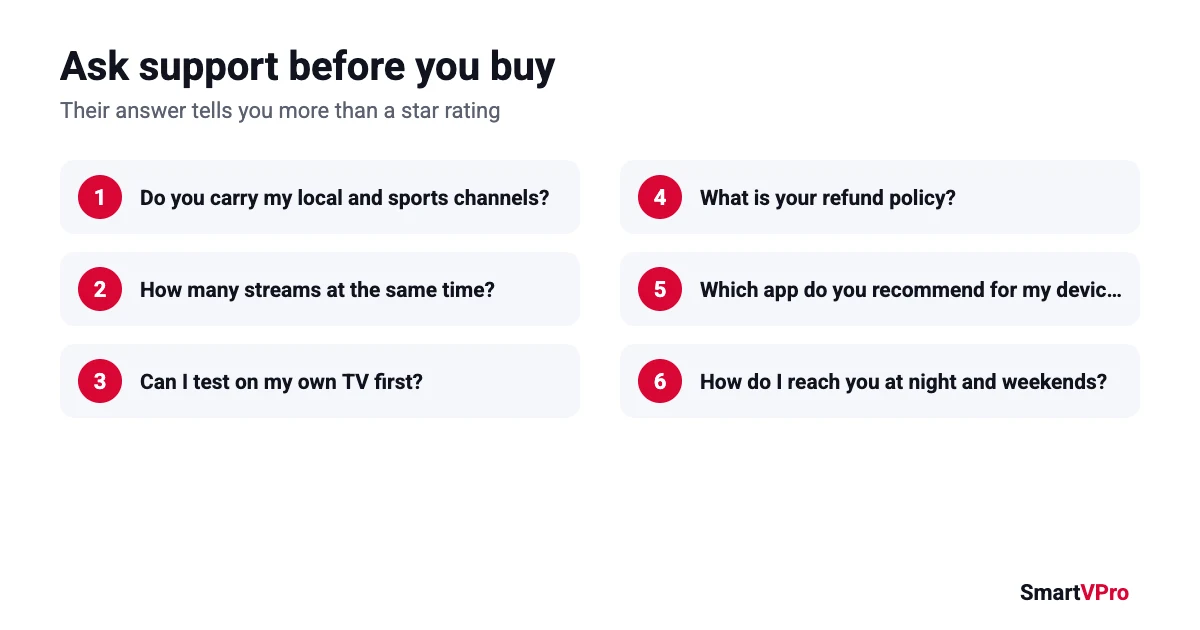
- Do you have the local channels for my city and the sports networks I watch?
- How many devices can stream at the same time on this plan?
- Can I test the service on my own TV before I pay for a full plan?
- What is your refund policy if it does not work on my setup?
- Which app do you recommend for my device?
- What happens if a channel stops working during a game?
- How do I contact you at night or on weekends?
A simple scorecard for any IPTV service
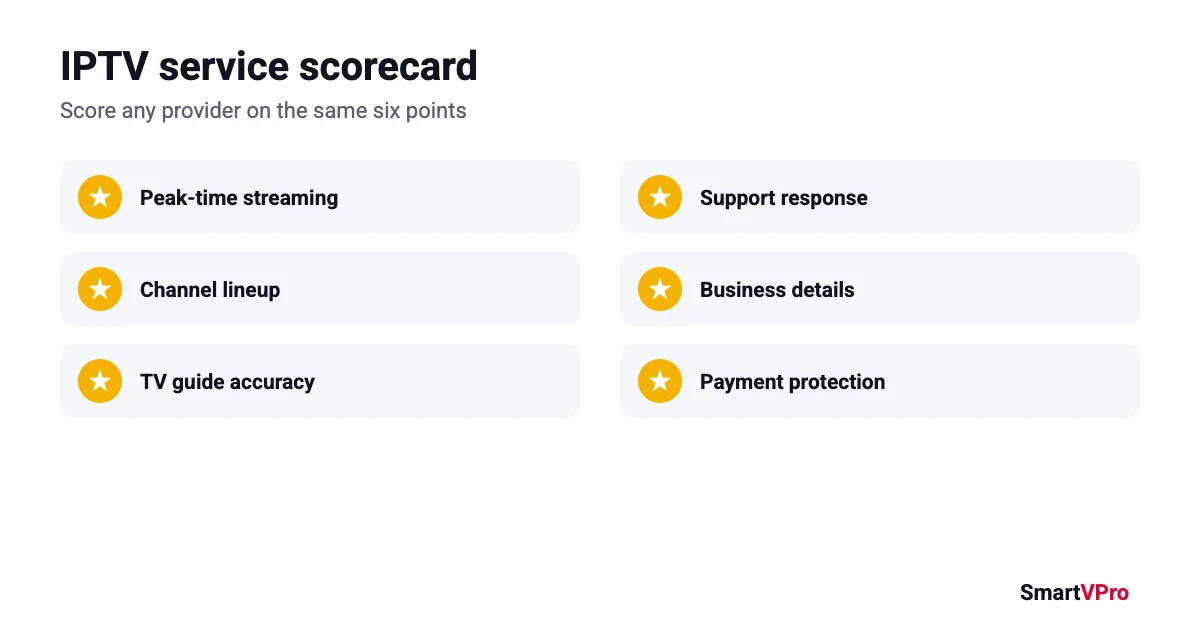
Whether you are reading IPTV reviews or testing a service yourself, score it on the same points. It keeps you from being swayed by one great or terrible comment:
| What to check | Good sign | Bad sign |
|---|---|---|
| Peak-time streaming | Live game plays without freezing | Buffering at the start of big events |
| Channel lineup | Your must-have channels are present and working | Channels listed but not loading |
| TV guide | Guide filled for the next hours | Empty or wrong guide |
| Support | Clear reply within a few hours | No reply, or copy-paste answers |
| Business details | Company name, terms, refund policy | No name, prices only in private messages |
| Payment | Card or PayPal at checkout | Gift cards, crypto or wire only |
How to write an IPTV review that helps other buyers
If you already use an IPTV service, a good review takes two minutes and saves the next person a lot of guessing. Include:
- your plan (length and number of devices),
- your device and app, for example “Fire TV Stick 4K with TiviMate,”
- your internet speed, if you know it,
- how it handled live sports or busy evenings,
- one thing that worked well and one thing that could be better,
- how long you have used it.
A review like “6 months, 1 device, Fire TV Stick 4K + TiviMate, 300 Mbps, NFL Sundays smooth, guide sometimes late on local channels” is worth more than any star rating.
IPTV reviews vs your own test
IPTV reviews tell you how a service worked for other people, on their internet and their devices. A test tells you how it works for you. Use reviews to build a shortlist and to spot red flags, then let a short trial make the final call. That is why we offer a $2 trial rather than asking new customers to rely on ratings alone.
Misleading tricks you will see on IPTV review pages
Beyond outright fake IPTV reviews, a few softer tricks make a provider look more trusted than it is. Once you know them, they are easy to spot:
- “Verified” badges with no explanation. A real verification process says what was checked, for example a matching order number. A badge on every review with no method behind it means nothing.
- Star widgets with no source. “4.9 out of 5” in a big graphic, but no link to where the ratings came from or how many there are.
- Testimonials with stock photos. Run a reverse image search on the reviewer’s photo. Stock images and photos taken from social media are common.
- Reviews that only praise price. “So cheap!” is not a review of streaming quality. Look for comments about live events, support and reliability.
- Comparison tables where the seller always wins. A table of “top IPTV providers” written by one of the providers is an ad, even if it is formatted like a review.
What the FTC rule on fake reviews covers
The FTC’s Trade Regulation Rule on the Use of Consumer Reviews and Testimonials, in effect since October 21, 2024, applies to any business selling to US consumers, IPTV providers included. In plain terms, it prohibits:
- writing, buying or selling fake reviews or testimonials, including AI-generated ones that do not reflect a real experience,
- paying or rewarding customers for reviews on the condition that they are positive or negative,
- reviews by company insiders or their relatives without clear disclosure,
- presenting a website the company controls as an independent review site,
- hiding or deleting honest negative reviews, or threatening people to stop them from posting,
- buying fake followers, views or other signs of social media popularity.
For you as a buyer, the practical takeaway is simple: a provider that follows the rule will show some imperfect IPTV reviews and explain how reviews are checked. If every review is perfect and there is no explanation, assume the page is marketing. For the legal side of IPTV itself, see our guide on whether IPTV is legal in the USA.
IPTV reviews for US local and sports channels
If you live in the USA, the IPTV reviews that matter most are about the channels you cannot easily replace: your local ABC, CBS, NBC and FOX stations, regional sports networks, and big games on national channels. General praise like “lots of channels” tells you nothing about these.
When you read reviews, look for people in your region or time zone who mention:
- whether their local stations were available and showed local news, not a feed from another city,
- how streams held up during NFL Sundays, playoff games or big fight nights, when servers are busiest,
- whether the TV guide matched what was actually on air,
- how quickly a dead channel was fixed when it went down during a game.
Then check the same things yourself. Open the channel list and our guide to US channels, note your must-haves, and test them during a live event before you choose a long plan. Good IPTV reviews narrow your choice, your own test on game day confirms it.
IPTV reviews FAQ
Are IPTV reviews on provider websites trustworthy?
Some are, some are not. Trust pages that show negative reviews, include specific details, and explain how reviews are checked. Be wary of identical ratings across different brands.
Where can I find honest IPTV reviews?
Discussion threads where real users reply to each other, moderated review pages that publish low ratings, and your own test during a trial are more reliable than review articles posted on unrelated websites.
Is it legal for a company to post fake reviews?
No. Under the FTC rule on consumer reviews and testimonials, effective October 21, 2024, US businesses cannot write, buy or knowingly share fake reviews, or hide honest negative ones.
What should I test during an IPTV trial?
The channels you watch most, a live sports event at peak time, the TV guide, an on-demand movie, and a quick message to support. If all five work, the service is likely a good fit.
What is the biggest complaint in IPTV reviews?
Buffering during big live events, followed by slow support and services that stop working before a long plan ends. Those three are what a short trial and a clear refund policy protect you against.
Should I trust IPTV reviews on YouTube?
Use them to see the interface and setup, but check the description for affiliate links or discount codes. A video recorded on a quiet weekday tells you little about peak-time streaming.
How many IPTV reviews should I read before buying?
Quality matters more than quantity. Five detailed reviews from different sources, including at least one negative one, tell you more than fifty one-line ratings.
Bottom line
Treat IPTV reviews as a filter, not a verdict. Ignore pages full of identical five-star ratings, look for detailed reviews that mention real problems, and confirm everything with your own test. When you are ready to try SmartVPro on your TV, start with the $2 trial or compare our plans.