
4K IPTV in the USA: What You Really Get in 2026 (Channels, Speed, Price)
Almost every IPTV service in the US now puts “4K” somewhere on its sales page. Some of that is real, some of it is marketing, and the difference matters when you are paying for a plan. This guide explains what 4K IPTV actually delivers on live TV and on-demand content, how much internet speed you need, how to check whether a channel is genuinely 4K, and what it costs with SmartVPro.
Short version: 4K IPTV is worth it if you have a 4K TV, a connection that can hold 25 Mbps per stream, and you watch a lot of movies, series and big sports events. If you mostly watch news and regular cable channels, an HD plan on a good connection will look almost the same.
Table of Contents
What 4K IPTV means
4K, also called Ultra HD or UHD, is a picture of 3840 x 2160 pixels. That is four times the pixels of Full HD (1920 x 1080). 4K IPTV simply means the service sends some of its channels or on-demand titles in that resolution over your internet connection, instead of through a cable box or satellite dish.
Three things have to line up before you see a true 4K picture:
- The source. The channel or movie has to exist in 4K at the broadcaster or studio.
- The stream. Your IPTV provider has to carry that 4K version, not a down-converted copy.
- Your setup. A 4K TV, a 4K-capable streaming device or TV app, and enough bandwidth to keep the stream steady.
If any one of those is missing, you are watching HD that your TV is upscaling. That still looks good on a modern TV, but it is not what most people picture when they buy a “4K IPTV” plan.
How much live TV in the US is actually 4K?
Less than most ads suggest. Regular US broadcast and cable channels are still produced in HD. As Tom’s Guide explains, Fox Sports produces most of its coverage in 720p, while CBS uses 1080i. ABC and ESPN also run at 720p on most cable systems.
Big sports events are the main exception. Networks such as Fox regularly offer 4K feeds of major games, but most of these are produced in 1080p HDR and then upscaled to 4K before they are sent out. That upscaled HDR feed usually looks better than the standard HD channel, mainly because of the extra color and contrast, but it is not native 4K.
So when an IPTV provider lists “4K sports,” expect a dedicated 4K version of selected channels and events, not every channel in the lineup running in Ultra HD. Anyone who promises thousands of native 4K live channels is overselling.
Where 4K IPTV makes a visible difference
On a 55-inch or larger 4K TV, you will notice the upgrade most with:
- Movies and series on demand. Many recent films and streaming-era series are mastered in 4K, and this is where 4K IPTV looks its best.
- Major sports events with a 4K feed. NFL playoff games, big college football matchups, major soccer and racing events often get a dedicated 4K channel.
- Nature, travel and documentary content. Slow, detailed footage shows the extra resolution clearly.
You will notice it least on news, talk shows and older series, which are made in HD or SD. For those, a clean HD stream with no buffering matters far more than the label.
Internet speed you need for 4K IPTV
Speed is where most 4K problems start. The FCC broadband speed guide lists 25 Mbps as the minimum download speed for streaming Ultra HD 4K video, and 5 to 8 Mbps for HD. Netflix recommends at least 15 Mbps for its own 4K streams. Live IPTV is less forgiving than on-demand video because it cannot buffer far ahead, so plan around the higher number.
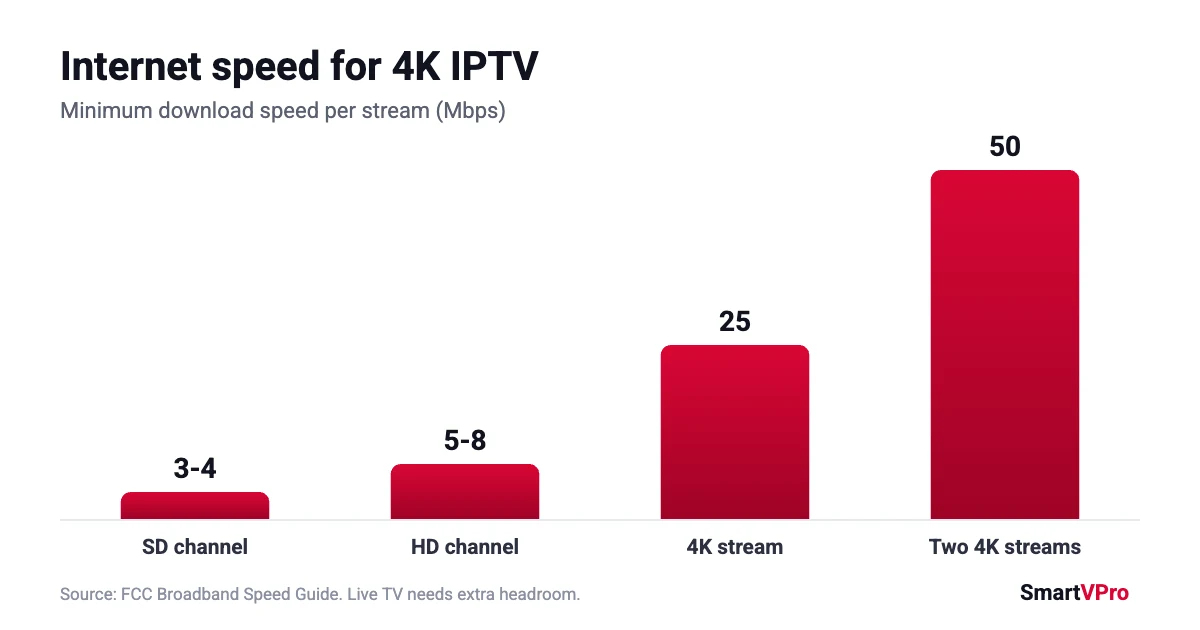
| What you watch | Minimum per stream | Comfortable target |
|---|---|---|
| SD channel | 3 to 4 Mbps | 10 Mbps |
| HD channel | 5 to 8 Mbps | 15 Mbps |
| 4K channel or movie | 25 Mbps | 40 Mbps or more |
| Two 4K streams at once | 50 Mbps | 80 Mbps or more |
A few practical tips that solve most 4K playback problems:
- Run the speed test on the streaming device itself, not on your phone in another room.
- Use an Ethernet cable for the TV or streaming box if you can. If not, connect to the 5 GHz Wi-Fi band and keep the router close.
- Remember that everyone else at home shares the same connection. A 4K stream plus video calls and gaming on a 50 Mbps plan will struggle at peak hours.
- If a 4K channel stutters but HD plays fine, the bottleneck is almost always your connection or Wi-Fi, not the channel. Our IPTV buffering guide walks through the fixes in order.
What you need at home to watch 4K IPTV
You need a 4K TV, plus a 4K-capable streaming device or TV app that can decode HEVC (H.265) video, which most 4K IPTV streams use. A recent 4K streaming stick or Android TV box handles this well. Older HD-only sticks will play the stream in HD at best or refuse to play it. Our plans and devices page lists the setups we support.
How to check if a channel is real 4K
Do not rely on the “4K” in a channel name. Most IPTV player apps can show stream information while a channel is playing. Open it and look at the resolution:
- 3840 x 2160: a 4K stream.
- 1920 x 1080: Full HD, even if the channel name says 4K.
- 1280 x 720: HD, typical for many US sports and news channels.
Keep in mind that a 3840 x 2160 sports feed can still be upscaled at the network level, as explained above. The resolution check tells you what your provider is sending, not how the network produced it.
The easiest way to do all of this before paying for a full plan is a short paid test. SmartVPro offers a 24-hour IPTV trial for $2 on one device, so you can open the 4K channels you care about on your own TV and connection and check the picture yourself.
What 4K IPTV costs with SmartVPro
SmartVPro does not charge extra for 4K. Every plan includes the same channel lineup, 4K channels and on-demand library, and you choose only the length and the number of devices that can stream at the same time.
| Plan length | 1 device | 2 devices | 3 devices |
|---|---|---|---|
| 1 month | $14.99 | $25.99 | $35.99 |
| 3 months | $29.99 | $46.99 | $71.99 |
| 6 months | $39.99 | $69.99 | $95.99 |
| 12 months | $64.99 | $117.99 | $155.99 |
If two people at home want to watch 4K at the same time, pick a 2-device plan and make sure your connection can carry two 4K streams (see the speed table above). For a full breakdown of what each plan includes, read our IPTV subscription price guide.
Is 4K IPTV worth it?
It is worth it if:
- you already own a 4K TV of 50 inches or more,
- your internet gives you 40 Mbps or more on the TV,
- you watch a lot of movies, series or big sports events.
It matters less if you watch mostly news, talk shows and older series, or if your connection drops below 25 Mbps in the evening. In that case, a stable HD stream will give you a better night of TV than a 4K stream that keeps stopping.
4K vs 1080p vs HDR: what changes on screen
Resolution is only one part of picture quality. When people say a 4K IPTV channel “looks amazing,” they are often reacting to HDR or a higher bitrate as much as to the extra pixels. Here is what each term actually changes:
| Term | What it means | What you notice |
|---|---|---|
| 1080p (Full HD) | 1920 x 1080 pixels | Sharp on TVs up to about 50 inches at normal viewing distance |
| 4K (Ultra HD) | 3840 x 2160 pixels | Finer detail on large screens, text and faces look crisper |
| HDR | Wider range between dark and bright, more color | Brighter highlights, deeper shadows, richer color |
| Bitrate | How much data per second the stream carries | Less blockiness in fast motion, grass, crowds and water |
This is why a good 4K IPTV setup is about the whole chain. A 4K channel squeezed into a low bitrate can look worse than a clean HD channel, especially in fast sports action.
Frame rate matters for live sports
For football, basketball and hockey, smooth motion matters more than raw resolution. Most US sports networks broadcast at 60 frames (or fields) per second, which keeps fast plays from looking choppy. When you test 4K IPTV for sports, watch a fast play or a camera pan, not just a still shot of the field. If motion stutters while the picture is sharp, the issue is usually your connection or device dropping frames, not the 4K channel itself.
A wired connection helps most here. Wi-Fi can deliver the average speed a 4K IPTV stream needs and still drop frames when the signal dips for a second.
How much data 4K IPTV uses
4K uses a lot of data. Netflix’s published figures put HD at up to 3 GB per hour and Ultra HD at up to 7 GB per hour, and live 4K IPTV streams fall in a similar range. A quick way to estimate your monthly use:
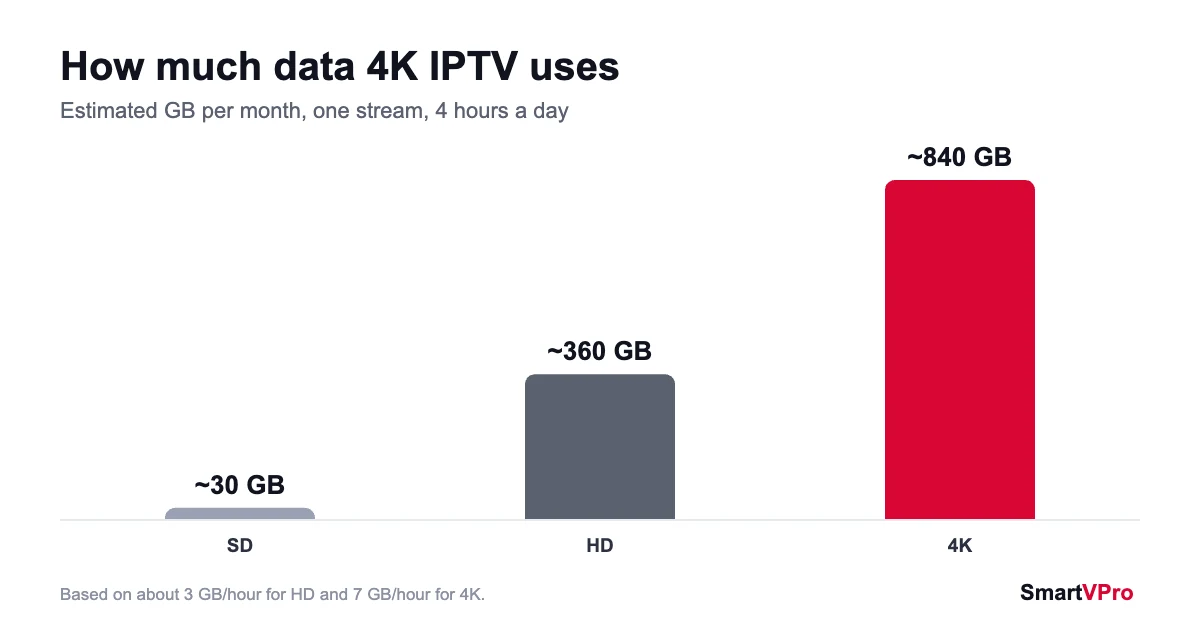
| Daily viewing | HD (about 3 GB/hour) | 4K (about 7 GB/hour) |
|---|---|---|
| 2 hours a day | about 180 GB a month | about 420 GB a month |
| 4 hours a day | about 360 GB a month | about 840 GB a month |
| 6 hours a day | about 540 GB a month | about 1.26 TB a month |
If your internet plan has a monthly data cap, check it before you switch your whole household to 4K IPTV. Watching 4K for big events and HD the rest of the time is a simple way to stay under the cap.
TV settings that make 4K IPTV look better
Many people pay for 4K and never see it, because the TV is set up for HD. Five minutes in the settings menu fixes most of this:
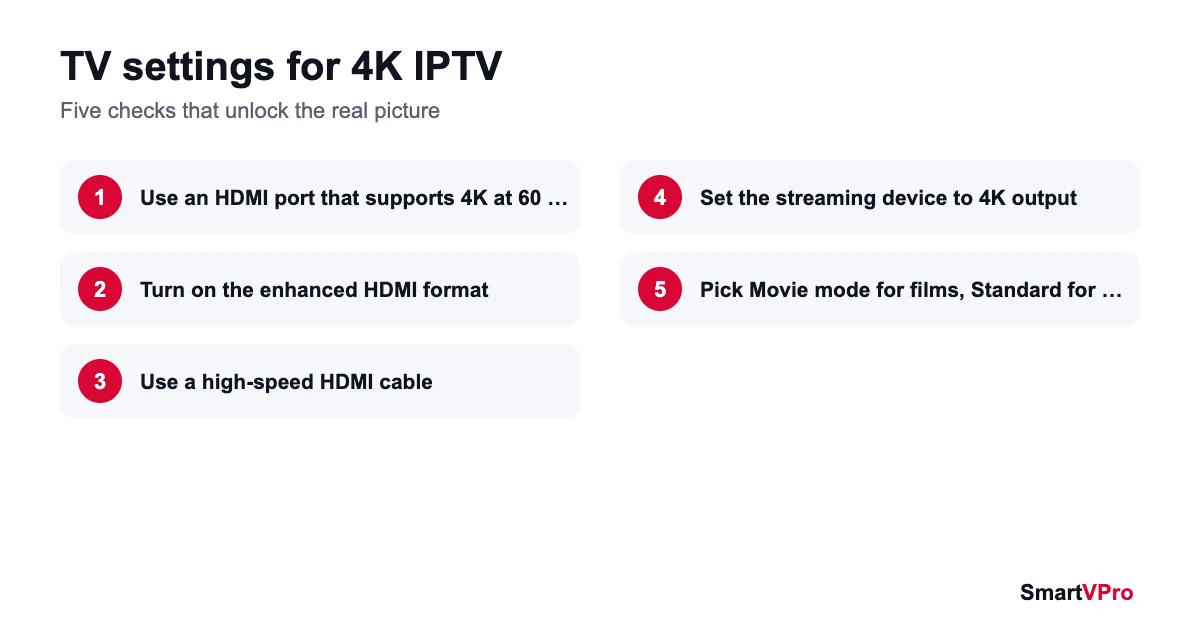
- Use the right HDMI port. Plug your streaming device into a port that supports 4K at 60 Hz. On many TVs only one or two ports do, and they are usually labeled.
- Turn on the enhanced HDMI format. Samsung calls it Input Signal Plus, LG calls it HDMI Ultra HD Deep Colour, and Sony calls it Enhanced format. Without it, some TVs limit HDMI input to a lower-quality signal.
- Use a high-speed HDMI cable. Old cables can cause flickering or a black screen at 4K.
- Set the streaming device to 4K output. Check the display settings on the stick or box itself, not only on the TV.
- Pick a picture mode. Movie or Filmmaker mode is the most accurate for films. Many sports fans prefer Standard with some motion smoothing for fast action.
Common 4K IPTV problems and quick fixes
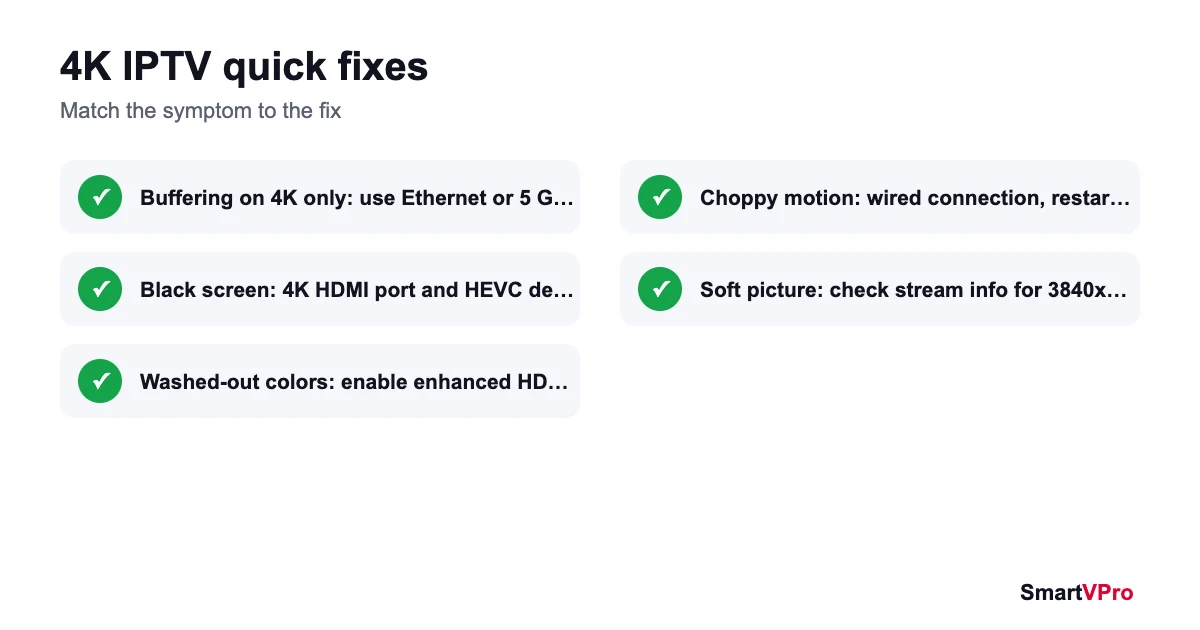
| Problem | Likely cause | Quick fix |
|---|---|---|
| 4K channel buffers, HD is fine | Not enough bandwidth on the TV | Ethernet cable or 5 GHz Wi-Fi, pause other downloads |
| Black screen on 4K channels | Device or HDMI port does not support 4K or HEVC | Use a 4K HDMI port and a 4K-capable streaming device |
| Picture looks washed out | HDR or enhanced HDMI turned off | Enable the enhanced HDMI format in TV settings |
| Sharp picture but choppy motion | Frames dropped on Wi-Fi or a slow device | Wired connection, close other apps, restart the device |
| Channel says 4K but looks soft | Stream is really 1080p or upscaled | Check the stream info for 3840 x 2160 |
If something still does not work after these steps, our IPTV not working guide covers the remaining checks, and support can look at your setup with you.
4K IPTV for sports fans in the USA
Sports are the main reason many US viewers look for 4K IPTV. Set your expectations this way: the regular sports channels in the lineup are HD, and dedicated 4K feeds appear for selected big events. Those feeds usually look noticeably better, mostly thanks to HDR and a higher bitrate. To get the most out of them, test your setup before game day, use a wired connection, and keep a 4K-capable streaming device on the TV you watch sports on. Our guide to the best IPTV for sports in the USA covers the sports side in more detail.
4K IPTV FAQ
Is all 4K IPTV content true 4K?
No. 4K on-demand movies and series are often true 4K. Live 4K sports feeds in the US are usually produced in 1080p HDR and upscaled to 4K by the network. Regular cable channels are HD (720p or 1080i).
What internet speed do I need for 4K IPTV?
At least 25 Mbps per 4K stream, according to the FCC. For live TV, aim for 40 Mbps or more on the device, and add another 25 Mbps for each extra 4K stream running at the same time.
Do I need a special TV for 4K IPTV?
You need a 4K TV and a streaming device or app that supports 4K and HEVC video. An HD TV will still play the channels, but in HD.
Does SmartVPro charge more for 4K channels?
No. 4K channels and 4K on-demand titles are included in every SmartVPro plan. Prices depend only on the plan length and the number of devices.
Why does my 4K channel buffer when HD works?
A 4K stream needs roughly three to five times the bandwidth of HD. If HD plays smoothly and 4K does not, check your speed on the TV, switch to Ethernet or 5 GHz Wi-Fi, and pause other heavy downloads at home.
How much data does 4K IPTV use?
Roughly 7 GB per hour per 4K stream, compared with about 3 GB per hour for HD. Four hours of 4K a day adds up to around 840 GB a month.
Can I watch 4K IPTV on two TVs at the same time?
Yes, with a 2-device plan and enough bandwidth. Two 4K streams need at least 50 Mbps, and 80 Mbps or more gives you comfortable headroom.
Bottom line
4K IPTV is a real upgrade for movies, series and big sports events, as long as your TV and connection can keep up. Treat the “4K” label as a starting point, check the resolution yourself, and test on your own setup before you commit to a long plan. When you are ready, compare SmartVPro plans or start with the $2 trial.