
How to Buy an IPTV Subscription in the USA: Safe Step-by-Step Guide (2026)
You can buy IPTV in about ten minutes. Buying the right one, from a provider that will still be answering messages in six months, takes a little more care. This guide shows how to buy IPTV in the USA the way we would explain it to a friend: what to decide first, what to check on the seller, how to test, which plan to choose and how to pay so you can get your money back if something goes wrong.
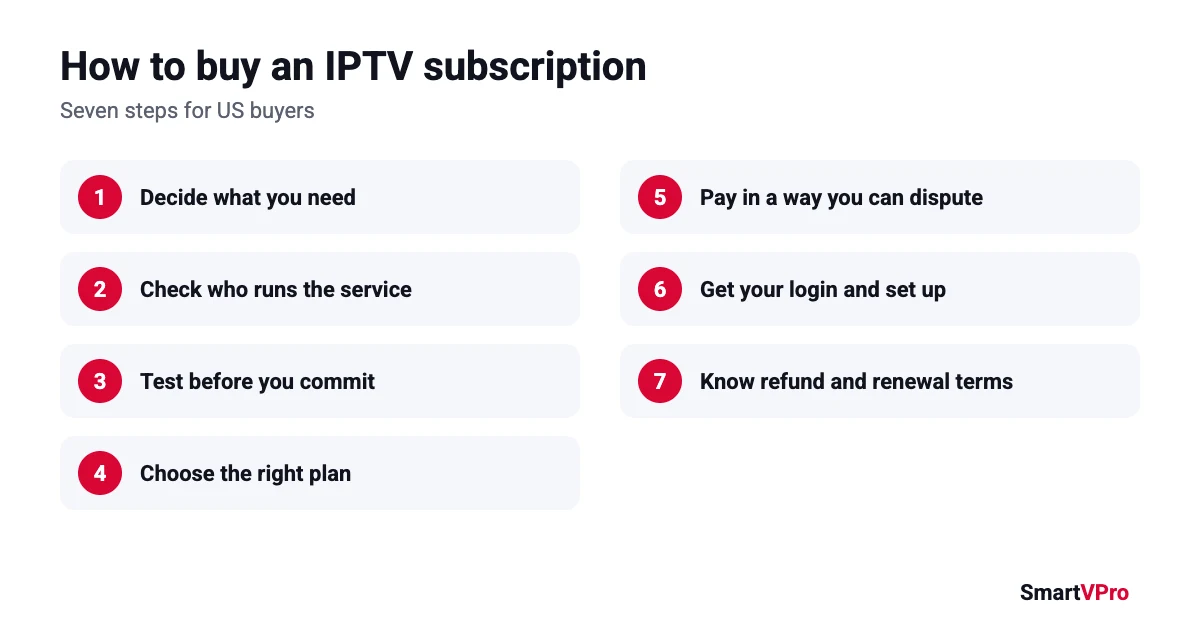
Step 1: Decide what you actually need
Before you buy IPTV, write down three things:
Table of Contents
- Your must-have channels. Your local networks, the sports you follow, the news channel you leave on in the morning. Check them against the provider’s channel list or US channel guide.
- How many screens at once. If two people watch different things at the same time, you need a 2-device plan. Installing the app on several TVs is fine, it is the number of simultaneous streams that counts.
- Your internet speed on the TV. HD needs roughly 5 to 8 Mbps per stream and 4K needs 25 Mbps, according to the FCC broadband speed guide. If you want 4K, read our 4K IPTV guide first.
Step 2: Check who you buy IPTV from
Spend five minutes on the provider’s website before you buy IPTV from it. A provider you can trust shows:
- a business name and contact details (SmartVPro is operated by THE SHORT BOX ENTERTAINMENT LLC),
- terms of service and a written refund policy,
- clear prices on the site, not “message us for a price,”
- a way to reach support before you buy.
Be careful with reviews. Many IPTV review pages are written by the sellers themselves. Our guide to reading IPTV reviews shows how to spot the fake ones, and this explainer covers the legal questions worth asking.
Step 3: Test before you commit
No sales page can tell you how a service will run on your TV, your router and your internet. A short test can. SmartVPro offers a 24-hour trial for $2 on one device. You request it on WhatsApp or by email, pay the $2, and receive your login details.
During the test, check:
- the channels on your must-have list,
- a live sports event or busy evening, when servers are under the most load,
- the TV guide (EPG) for the next few hours,
- one on-demand movie,
- how quickly support answers a simple question.
Step 4: Choose the right plan
Once the test goes well, you are ready to buy IPTV for longer. Pick a plan length and the number of devices. Here are SmartVPro’s current prices:
| Plan length | 1 device | 2 devices | 3 devices |
|---|---|---|---|
| 1 month | $14.99 | $25.99 | $35.99 |
| 3 months | $29.99 | $46.99 | $71.99 |
| 6 months | $39.99 | $69.99 | $95.99 |
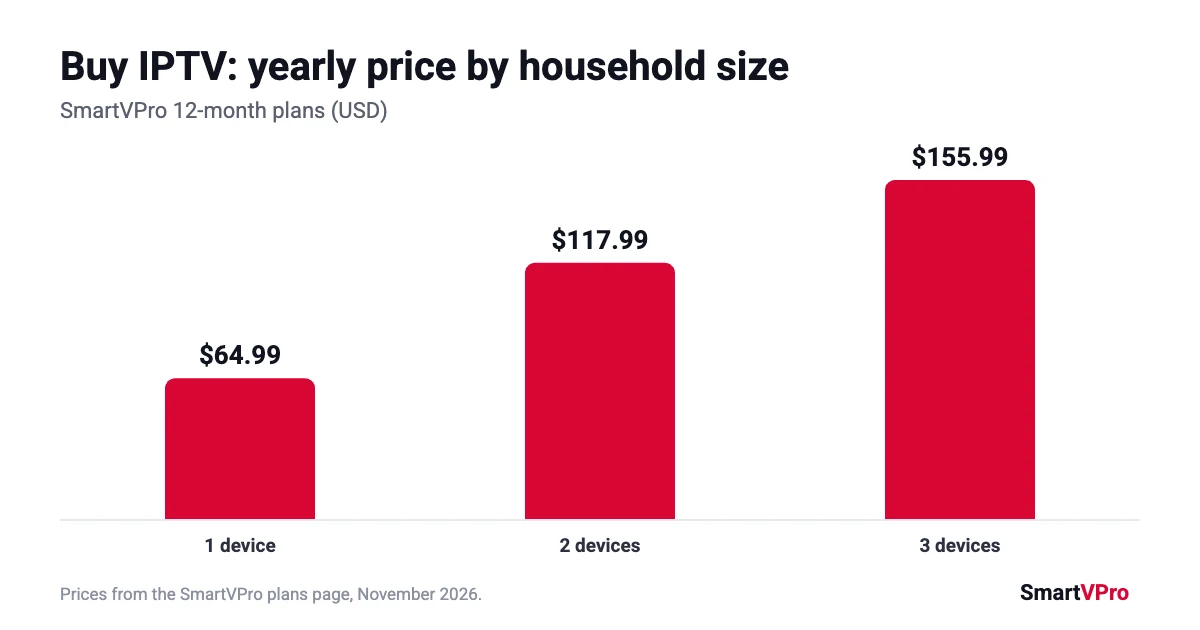
| 12 months | $64.99 | $117.99 | $155.99 |
If you are unsure, start with one month. If the service runs well for a few weeks, a longer plan brings the monthly cost down a lot: the 12-month plan works out to about $5.42 a month for one device. We compare the options in our 12-month IPTV subscription guide and our guide to cheap IPTV.
Step 5: Pay in a way that protects you
When you buy IPTV, how you pay matters as much as who you pay. A credit card gives you the strongest protection: under the Fair Credit Billing Act you can dispute certain billing errors, including charges for services you did not receive, within 60 days of the statement, as the FTC explains. PayPal also has its own dispute process.
Be wary of any seller that insists on gift cards, cryptocurrency or wire transfers. The FTC lists these as the payment methods scammers prefer, because the money is very hard to get back.
At SmartVPro, you place the order on the plans page and see the available payment options at checkout. Keep your order number and confirmation email, you will need them for support or for a refund request.
Step 6: Get your login and set up
After payment is confirmed, you receive your login details by email or WhatsApp. Install the player app on your device, enter the details, and the channel list loads. If you get stuck, our setup guides for IPTV Smarters Pro and TiviMate cover the most common apps, and support is available 24/7.
Step 7: Know your refund and renewal terms
Read the refund policy once more after you buy, so there are no surprises. With SmartVPro:
- you can request a refund within 3 days of purchase if you have not started streaming,
- if a technical problem on our side cannot be fixed within a reasonable time, we may refund the affected period,
- problems caused by your own network or an unsupported device are not covered, which is one more reason to test first.
Set a reminder a few days before your plan ends, so you can renew, change plans or stop without a gap in service.
What to have ready before you buy IPTV
Having a few details ready makes the whole process faster, especially if support needs to help you set up:
- Your email and, if you like, a WhatsApp number, so login details reach you quickly.
- Your device model, for example “Fire TV Stick 4K” or “Samsung TV 2022.”
- The app you want to use, or ask support to recommend one.
- A speed test taken on the TV or streaming device, not on your phone.
- Your list of must-have channels, so you can check them in the first few minutes.
Common mistakes when you buy IPTV
Most bad experiences come from a handful of avoidable mistakes. Before you buy IPTV, make sure you are not about to make one of these:
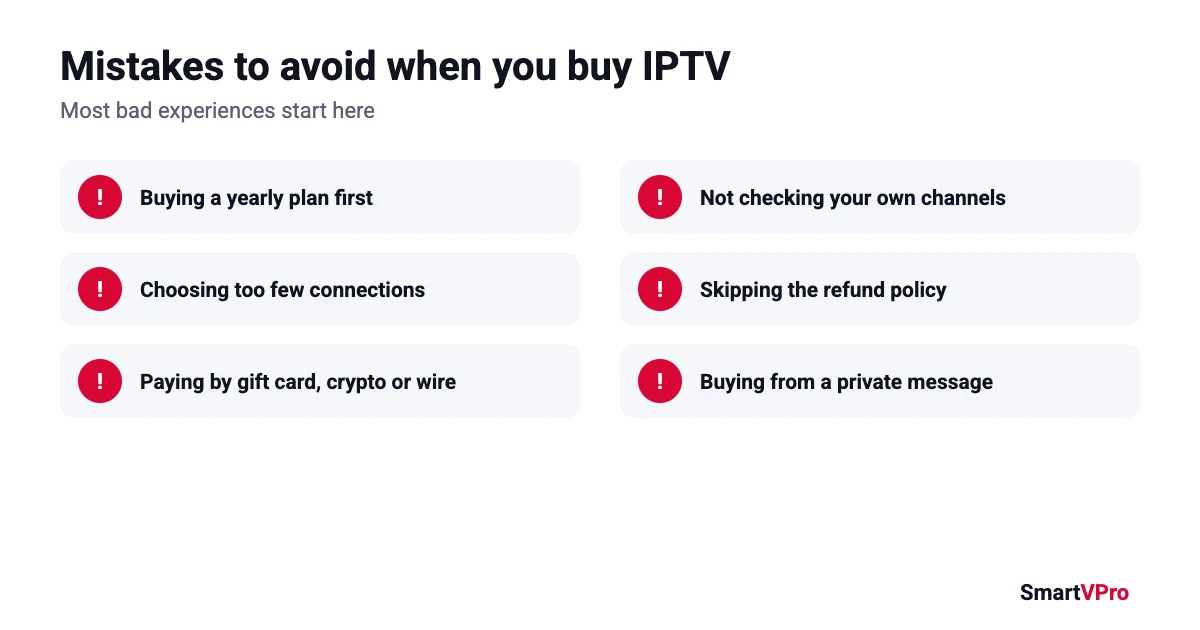
- Buying a yearly plan first. It is the cheapest per month, but only after you know the service works for you.
- Choosing too few connections. If two people watch different things at the same time, a 1-device plan will keep kicking one of you off.
- Paying by gift card, crypto or wire transfer. These are almost impossible to get back if something goes wrong.
- Not checking your own channels. A big channel count means nothing if your local stations or your team’s network are missing.
- Skipping the refund policy. Many policies only cover you before you start streaming, so read the conditions first.
- Buying from a private message. Sellers who only work through social media DMs usually have no terms, no refund policy and no company behind them.
What happens after you buy IPTV
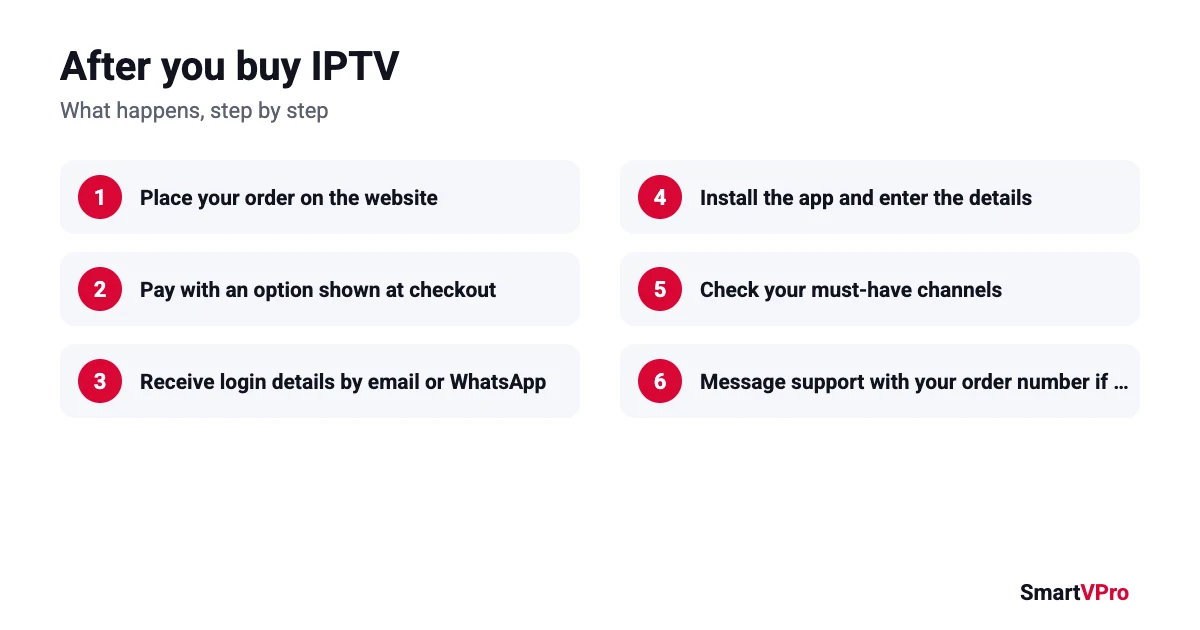
Here is what a normal purchase looks like from start to finish, so you know what to expect:
| Step | What happens | What you do |
|---|---|---|
| 1. Order | You choose a plan on the website and place the order | Keep the order number |
| 2. Payment | You pay with one of the options shown at checkout | Save the confirmation email |
| 3. Login details | Credentials are sent by email or WhatsApp after payment is confirmed | Check your spam folder if they do not arrive |
| 4. Setup | You install the player app and enter the details | Follow the setup guide for your device |
| 5. First check | The channel list and guide load | Test your must-have channels right away |
| 6. Support | If anything is wrong, support helps | Message support with your order number |
Buying IPTV for parents or as a gift
Many people buy IPTV for parents or relatives who are not comfortable with technology. A few things make that go smoothly:
- Set up the app on their TV yourself, or over a video call, before handing it over.
- Choose a simple app with large menus, and add their favorite channels to a favorites list.
- Write down how to open the app and what to do if the screen freezes (usually: back, then open the channel again).
- Keep the order number and the login details somewhere you can find them, so you can contact support on their behalf.
- Start with a short plan to make sure they actually use it, then move to a longer one.
How to stop or change your plan
Before you buy IPTV, check how cancellation works. With SmartVPro, the refund policy explains that if you subscribed on our website you can cancel from your account dashboard, and that a cancelled plan stays active until the end of the current period. To change the number of devices or move to a longer plan, contact support before your current plan ends.
Buy IPTV safely: the short version
- Write down your channels, devices and internet speed.
- Check the seller has a company name, terms and a refund policy.
- Test with a small payment, ideally during a live event.
- Start with a short plan, then move to a longer one.
- Pay by card or PayPal and keep your order details.
Follow those five steps and you will buy IPTV the way careful buyers do: with your eyes open and your money protected.
Which plan to buy: three real-life examples
The right plan depends on who is watching and how often. These three examples cover most households that buy IPTV in the USA:
Example 1: One sports fan, one TV
Mike watches NFL on Sundays, some college football and the evening news. Only one stream plays at a time. He tests with the $2 trial during a Sunday game, then buys one month to be sure. Once he is happy, he moves to the 1-device, 12-month plan at $64.99, about $5.42 a month.
Example 2: A couple with different tastes
Sarah watches reality shows in the living room while her husband watches basketball in the bedroom. They need two streams at once, so a 1-device plan would not work. After a short test, they buy the 2-device plan. On a yearly plan that is $117.99, which is cheaper than two separate 1-device plans at $129.98.
Example 3: A family that is not sure yet
The Garcia family is moving from cable and is not sure how much they will use IPTV. They start with a 2-device, 1-month plan at $25.99 to see how everyone uses it. After a month they know whether they need two or three streams, and then buy the matching 6-month or 12-month plan.
Monthly, 6-month or yearly: how to decide
When you buy IPTV, the plan length is a trade-off between flexibility and price. This table makes the choice simple:
| Choose this | If | Price for 1 device |
|---|---|---|
| 1 month | You are testing a new provider or only need TV for a few weeks | $14.99 |
| 3 months | You watch mainly during one sports season | $29.99 |
| 6 months | You trust the service but want a shorter commitment | $39.99 |
| 12 months | You have tested the service and want the lowest monthly cost | $64.99 |
Whatever you pick, the safe order is always the same: test, then a short plan, then a long plan. Our 12-month subscription guide goes deeper into when a yearly plan makes sense.
Where to buy IPTV in the USA
The safest place to buy IPTV is the provider’s own website, where the plans, prices, terms and refund policy are all public before you pay. Marketplace listings, social media posts and private messages are where most problems start, because there is no clear business behind the offer and nothing in writing if the service stops. If you want to buy IPTV from SmartVPro, all plans are listed on our plans page, and our team answers questions before you order.
Signs you made the right choice
In the first week after you buy IPTV, a few simple checks tell you whether you picked a good provider:
- Your login details arrived soon after payment, and they worked first time.
- Your must-have channels load and the TV guide shows the right programs.
- A live game or busy evening played without constant freezing on a wired or strong Wi-Fi connection.
- When you asked support a question, you got a clear answer within a few hours.
- Your order number, receipt and refund policy are easy to find if you need them later.
If most of these are true, you can move to a longer plan with confidence. If several are not, use the refund window or let the short plan run out and look elsewhere. That is exactly why the safest way to buy IPTV is to start small.
Buying IPTV: FAQ
Where can I buy an IPTV subscription in the USA?
From a provider’s own website, ideally one that shows its business name, prices, terms and refund policy. Avoid sellers that only work through private messages.
How do I buy IPTV safely?
Check who runs the service, test it with a short trial, start with a short plan, and pay by credit card or PayPal so you have a way to dispute a charge.
How fast do I get my IPTV login after buying?
With SmartVPro, login details are sent after payment is confirmed. If you have not received them, contact support with your order number.
Should I buy a monthly or yearly IPTV plan?
Monthly first, then yearly once you know the service works for you. A yearly plan is the cheapest per month, but you pay up front.
Can I use one IPTV subscription on several TVs?
You can install it on several devices. The plan sets how many can stream at the same time: one, two or three with SmartVPro.
Can I buy IPTV with PayPal?
Many providers accept PayPal. At SmartVPro, the available payment options, including PayPal and card, are shown at checkout.
Is it safe to buy IPTV from sellers on social media?
It is risky. Sellers who only work through private messages rarely publish terms or a refund policy, and often ask for payment methods you cannot dispute. Buy from a website where the business, prices and policies are public.
How long does it take to buy IPTV and start watching?
Most people can buy IPTV, receive their login details and start watching the same day. The longest part is usually installing the app on the TV, which takes a few minutes with a setup guide.
Do I need a contract to buy IPTV?
No long contract is needed. You buy IPTV for a fixed period of 1, 3, 6 or 12 months, and you decide whether to continue when that period ends.
What do I need to buy IPTV for a TV that is not smart?
Any TV with an HDMI port works with a streaming stick or Android TV box. Plug it in, install the player app and enter your login details.
Ready to buy IPTV?
If you have your channel list and your speed test ready, the safest path is simple: test for $2, then choose your plan. Questions before you order? Contact our support team, available 24/7.